 DashboardBear
Every new tab opens on today.
DashboardBear turns Chrome's new tab into a desk for your day: tabs and links filed into collections, your bookmarks, and today's calendar, to-dos and headlines in one glance.
Chrome Web Store Coming soon
No account. Nothing leaves your browser.
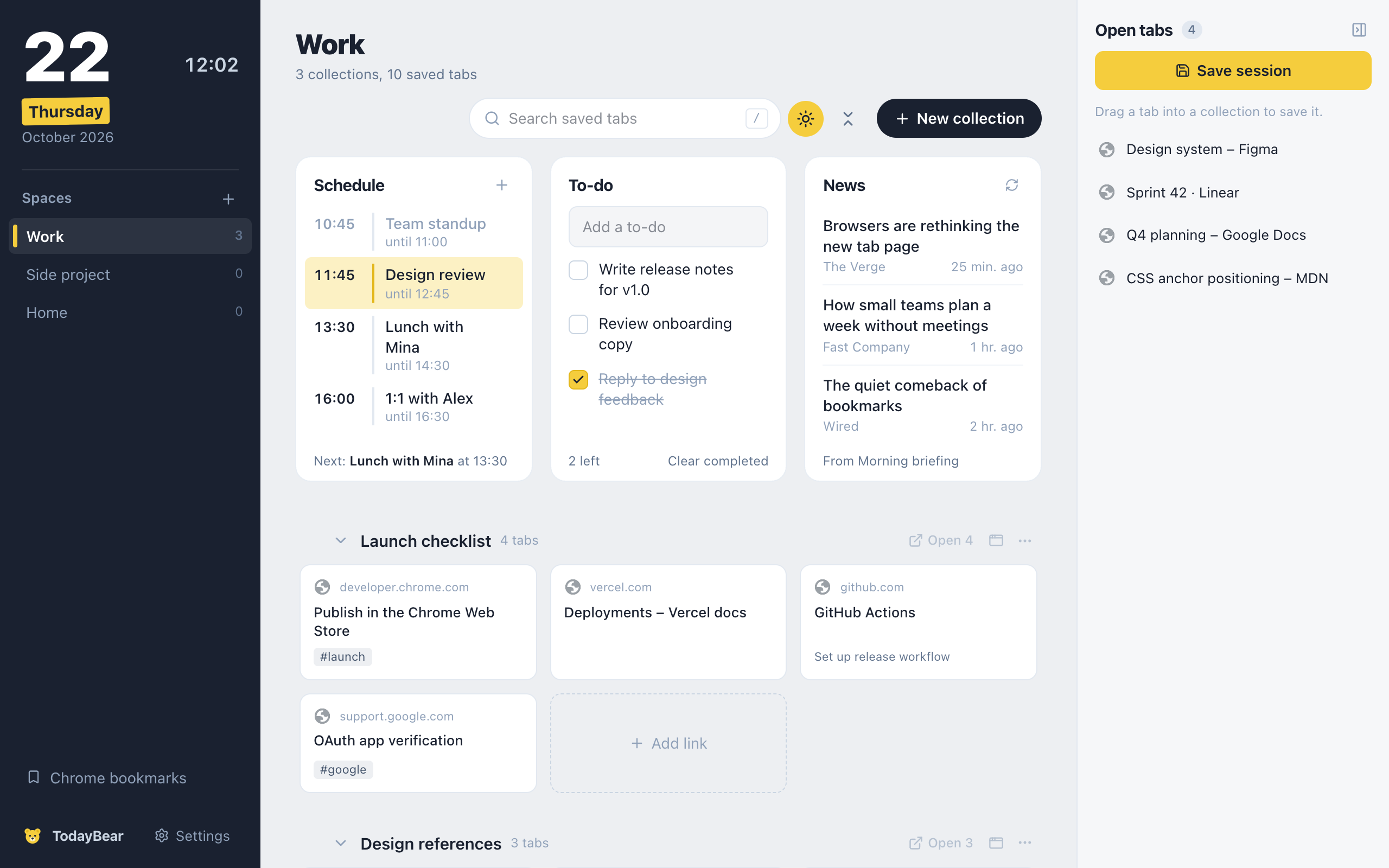
Today, at a glance
The first thing you see is what the day holds.
- Google Calendar events on a timeline, with what's happening now highlighted
- Add an event and it goes straight to Google Calendar
- A to-do list that clears finished items overnight
- Headlines from Google News or any RSS feed
Tabs and links, filed
Close twenty tabs without losing any of them.
- Drag open tabs into collections, or save the whole window at once
- Paste a list of links to add them all
- Tags, sorting, duplicate cleanup, bulk move and delete
- Spaces for work, side projects and home
Your bookmarks, tidied
Chrome's bookmarks, right next to everything else.
- Browse, edit, move and delete bookmarks and folders
- Turn a bookmark folder into a collection, or the reverse
- Coming from Toby or OneTab? Import your export file
Your day stays on your computer.
DashboardBear has no servers and no accounts. Everything you save lives in your own browser, and Google Calendar talks to Google directly.
- No account
- Install it and start. There's nothing to sign up for.
- No tracking
- No analytics, no ads, no cookies in the extension.
- Google Calendar, only if you connect it
- Read and add events through Google's own sign-in. Disconnect any time. How Google data is used